Deck Twin plants in OpenUSD and NVIDIA Omniverse
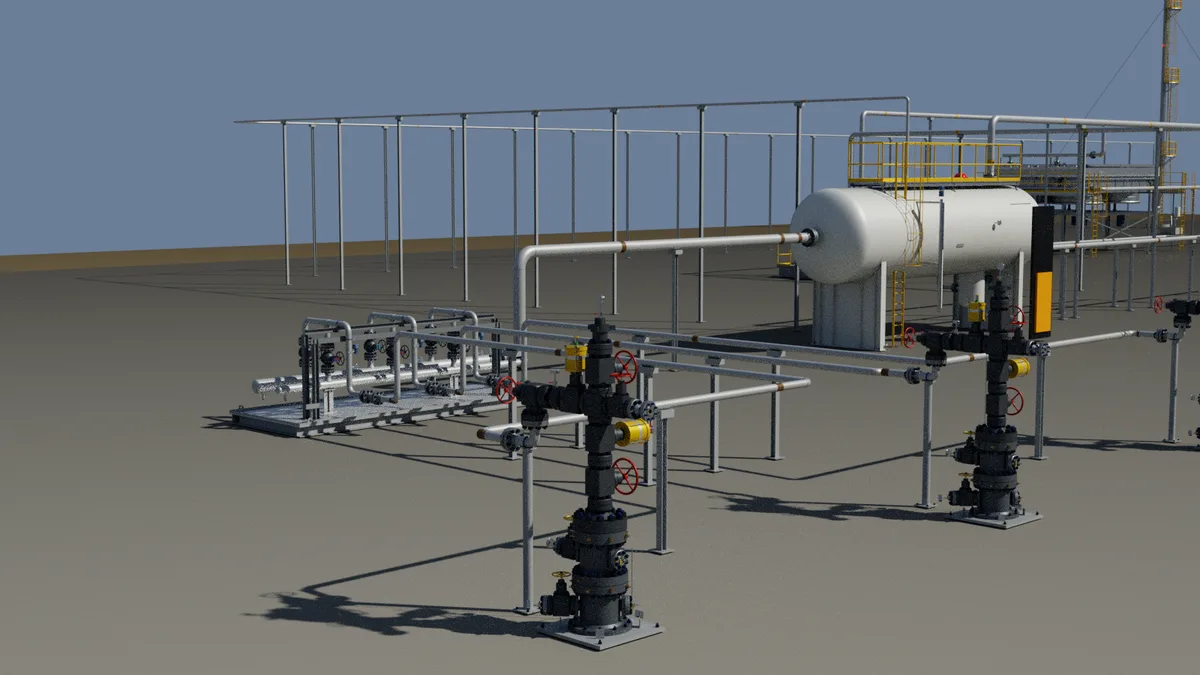
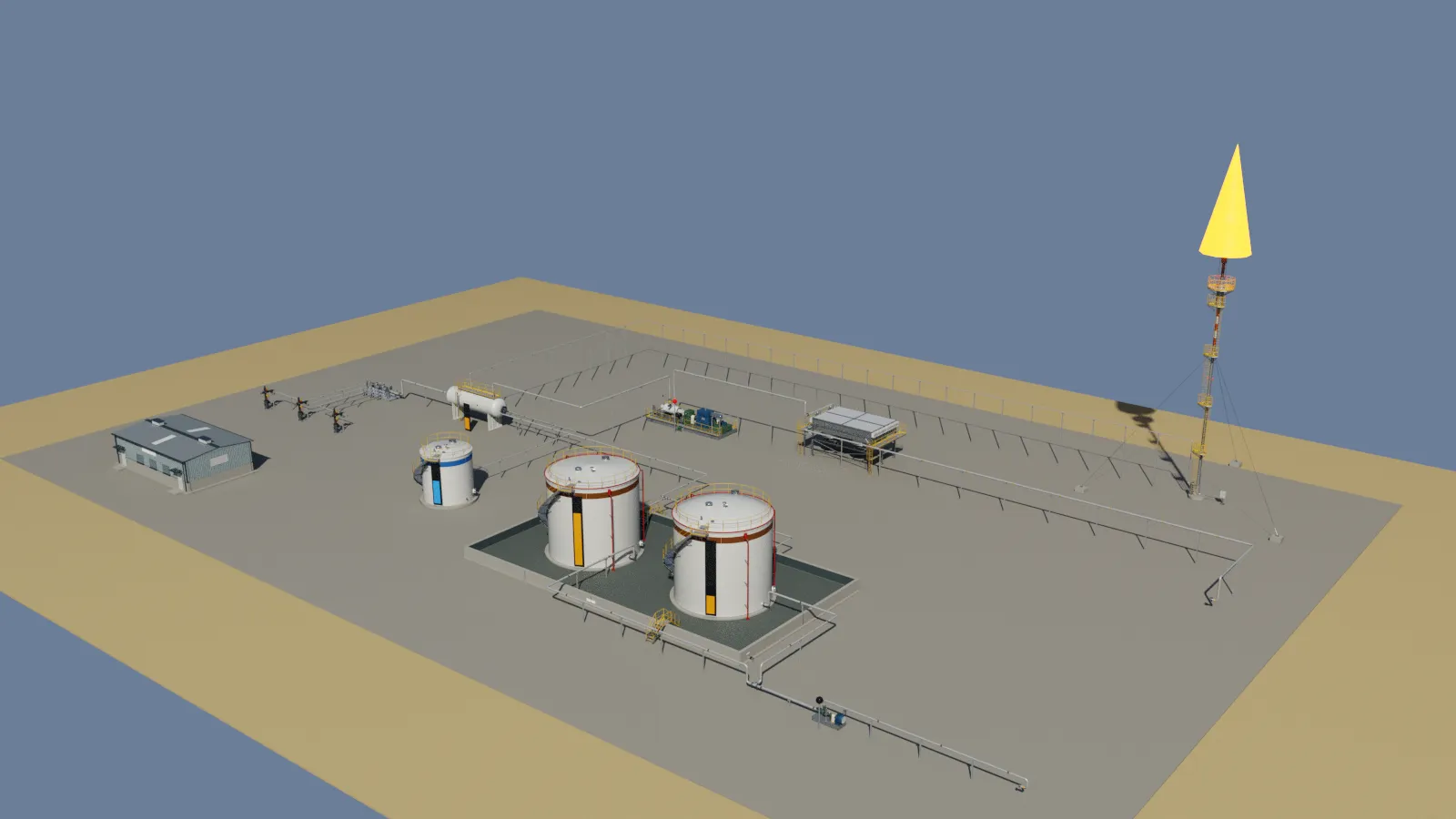
We wrote two Deck Twin plants as OpenUSD layers and path-traced them with the Omniverse RTX renderer. This page shows the renders, a stage you can open and operate in your browser, how a plant file becomes a USD stage, and what does and does not carry over.
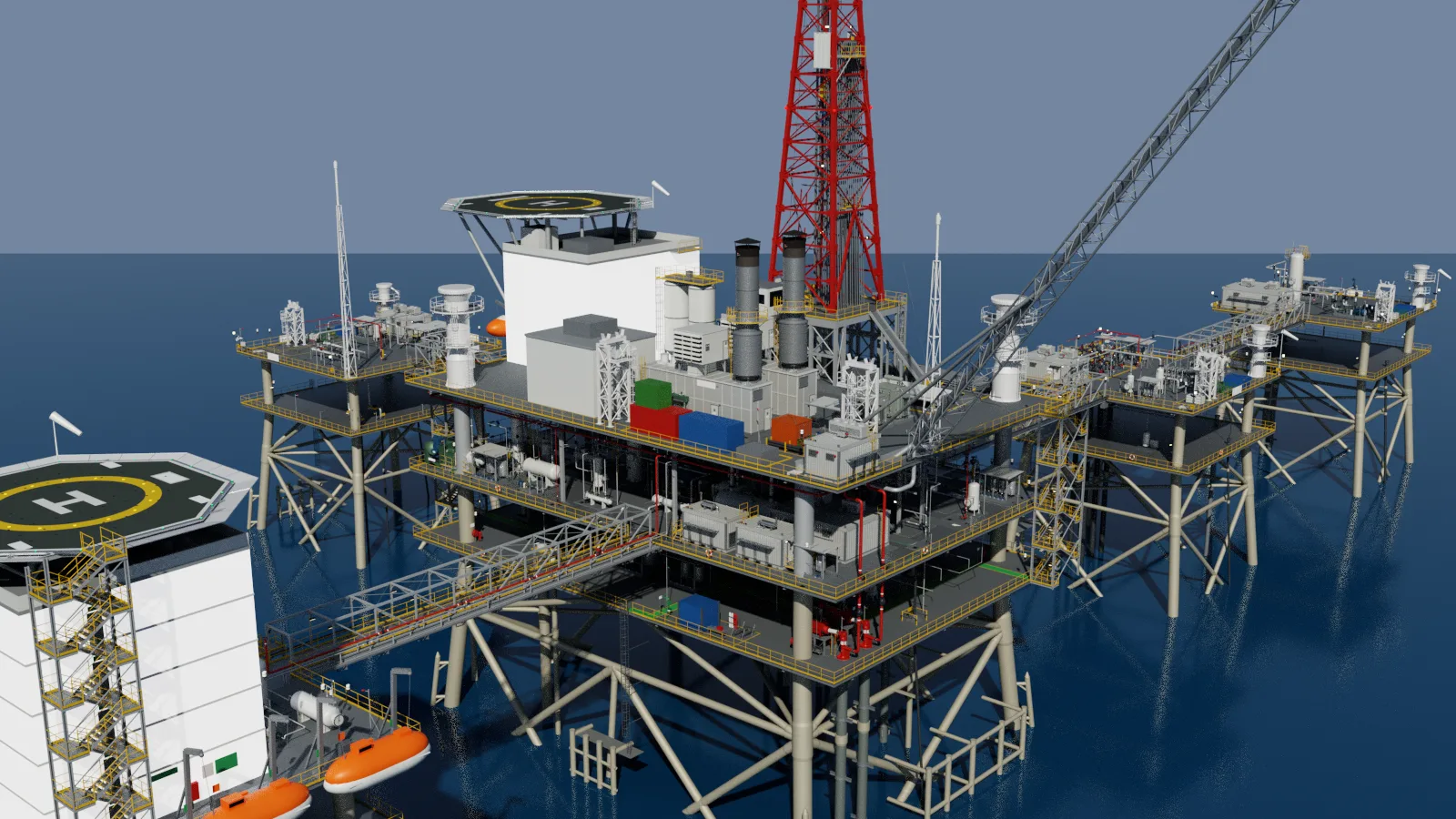
What was exported
Two scenes, both built from library components. The geometry is generic and sized from published standards. It is not vendor CAD, and neither scene describes a real asset.
Alpha platform, offshore
- Source
- A twin export
- Content
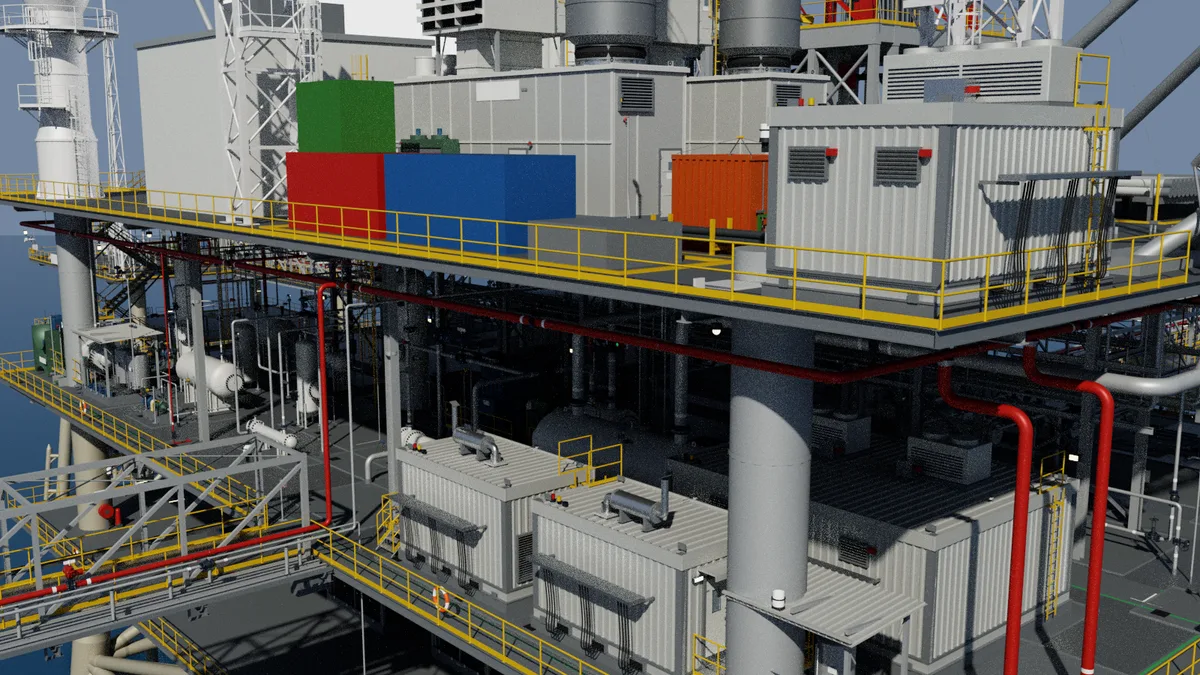
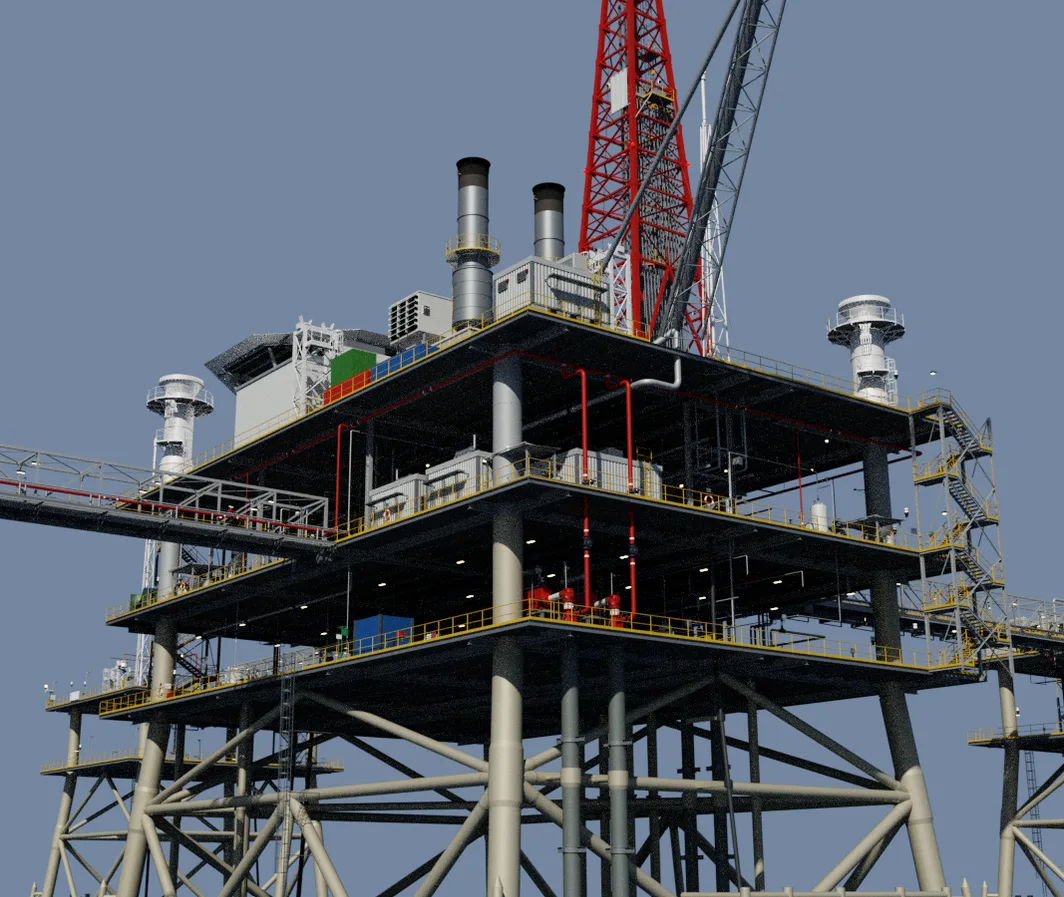
- 129 equipment items, 216 lines, 235 valves, 370 instruments
- Geometry
- 9.5 million triangles
- USD layout
- One layer per discipline
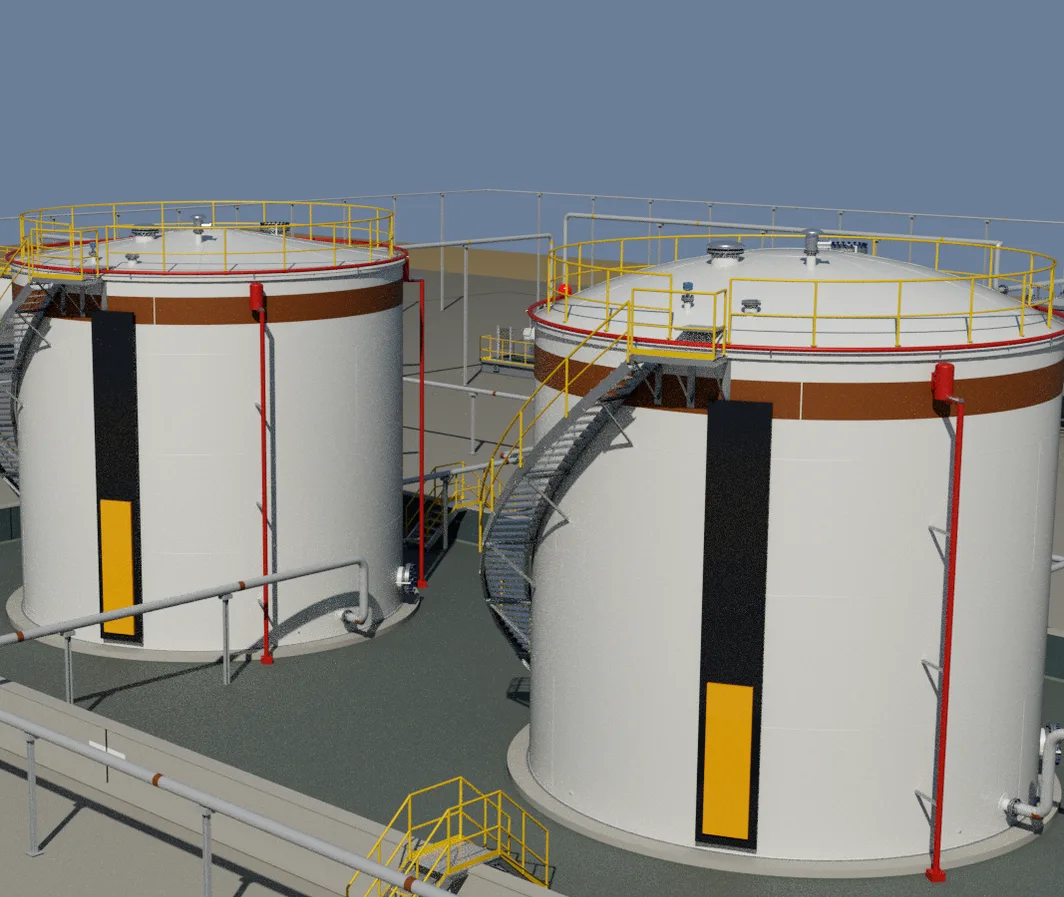
Onshore facility
- Source
- A library plant.json that passes decktwin validate
- Content
- 16 items and 16 lines, joined port to port
- Geometry
- About 1.2 million triangles
- USD layout
- One asset file per distinct item, placed by reference
From plant file to USD stage
The same five steps produced both scenes. The plant file format is described in Assembling plants.
- 1
Start from the plant file
Either a library
plant.json, which lists items, positions and port-to-port lines, or an export from the twin. Nothing is remodelled for USD. - 2
Export the geometry by tag
The Deck Twin renderer builds the plant in a headless browser. Every mesh is saved, grouped under the plant tag it belongs to.
- 3
Author the USD
A script using the OpenUSD Python API writes the meshes as
.usdcfiles with a UsdPreviewSurface material for each Deck Twin material, then writes the layers that place them, tag them and carry the engineering data. - 4
Add simulation runs
Each run of the process model is stored as its own layer of time samples. The geometry and engineering layers are not edited.
- 5
Open or render the stage
The root file lists the layers. For the pictures on this page it was opened in Isaac Sim 6.2, running headless on a cloud GPU, and path-traced.
platform.usda only lists these eight layers- engineering_data.usda
- Names, systems, design conditions, line specs, valve and instrument data. Overrides only
- instruments.usdc
- 370 instruments and detectors
- valves.usdc
- 235 valves
- piping.usdc
- 216 lines
- equipment.usdc
- 98 equipment items
- structure.usdc
- Deck structure and topsides
- surroundings.usdc
- Neighbouring platforms, bridges, cranes, cellar decks
- site.usda
- Sea and lights
Why the USD structure matters for a twin
A single merged mesh would render the same picture. The value of USD for a twin is in how the stage is composed, because that is what lets other tools and other teams add to it without touching the source.
- Layers
- Several files stack into one stage, and a stronger layer overrides a weaker one without editing it. Engineering data, simulation results and what-if cases stay in separate files. Mute the valves layer and the valves disappear. Mute an upset scenario and the plant runs normally.
- References
- The onshore layout never copies geometry. Its three wellheads are three references to one christmas tree asset, so a change to the asset reaches every instance.
- Variants
- A prim can carry alternatives to switch between. Each crude tank has a roof variant, cone or dome, and each choice references a different Deck Twin component.
- Time samples
- Any attribute can vary over time. Process tags such as process:pressure_barg, level gauge heights and beacon colours are sampled along each run, so a USD tool can scrub through an upset.
- Attributes on prims
- Process tags are ordinary USD attributes on the equipment prims. The 3D object and its operating data are one thing in the stage.
Try the stage in your browser
This is the onshore stage itself, composed with OpenUSD and drawn here with three.js. It is not the RTX renderer, so the lighting is plain. The layers, the variant and the time samples are the real ones.
Interactive view: layers, a variant and two hours of simulation. 3.5 MB.
- Press play and watch from 00:40. The compressor trips, separator pressure climbs past its limit and the flare grows.
- Untick the scenario layer. The same two hours run with no upset, and no other file changed.
- Click a crude tank and switch the roof variant. Each choice references a different asset.
- Untick the layout to see what simulation data is worth with no plant under it.
What carries over
The stage holds the plant's geometry, structure and data. It does not hold the twin application.
In the USD
- Geometry
- Every mesh the renderer draws, grouped by plant tag.
- Hierarchy by tag
- One prim per tagged equipment item, line, valve and instrument.
- Materials
- One UsdPreviewSurface per Deck Twin material, carrying its colour.
- Engineering data
- Names, systems, design conditions and line specs, as attributes.
- Simulation results
- Process values, trips and alarms from each run, as time samples in their own layer.
Not in the USD
- Textures
- Tag stencils, signs and dials become plain colour.
- Animation
- The twin's own flame and animation, workers and vessel motion.
- Sea and sky
- The twin animates both. The USD site layer has its own plain sea and lights.
- X-ray and section surfaces
- Inner vessel surfaces the twin shows only in cutaway views.
- Deck lighting
- Under-deck areas are lit by the sun and sky only, so they render darker than in the twin.
- Tags on proxy items
- 31 items such as the derrick, cranes and lifeboats are part of the structure layers, with geometry but no tag.
Scenario layers also carry incident markers a renderer can see: a flame with its own light, a translucent cloud at a gas release, and a red beacon over each tripped machine. These are stand-ins sized from the scenario's inputs. They are not fire or dispersion calculations.
All process values are simulated. On the platform they come from the same dynamic model the digital twin runs in the browser. 171 of the 370 instruments are not driven by that model and read a smooth signal around their nominal value. The onshore process model is a teaching model with simple balances, not a design or safety calculation.
Requirements and status
This pipeline exists and has been run on the two scenes above. The exporter is not part of the decktwin CLI or the public library today, so there is nothing to install or download yet.
- OpenUSD
- Open source and runs on any platform. The stages here were authored and composed with the OpenUSD Python library on a Mac, with no NVIDIA hardware. See openusd.org.
- Omniverse RTX renderer
- Needs an NVIDIA RTX GPU on Windows or Linux. Isaac Sim is used under the NVIDIA Omniverse License Agreement. See NVIDIA Omniverse.
- How these were rendered
- Isaac Sim 6.2 running headless on a rented cloud GPU, an NVIDIA A10G.
- Measured on these scenes
- On the A10G, Isaac Sim started in about 20 seconds. The first still took about 110 seconds, which includes shader compilation, and later stills about 20 seconds each at 192 samples.
Ask us to export your plant
Tell us which plant or documents you have and which USD tools you use. We will say what would come across.
NVIDIA, Omniverse and Isaac Sim are trademarks of NVIDIA Corporation. OpenUSD is a project of the Alliance for OpenUSD. Deck Twin is not affiliated with or endorsed by either.